← Press kit

Banners and screenshots

Four banners, each sized for where it goes, and five screens from the app.

Banners

Four pictures, each one sized for the place it goes. These are the real files, copied straight out of the store listing and the mail template. I didn't redraw anything for this page.
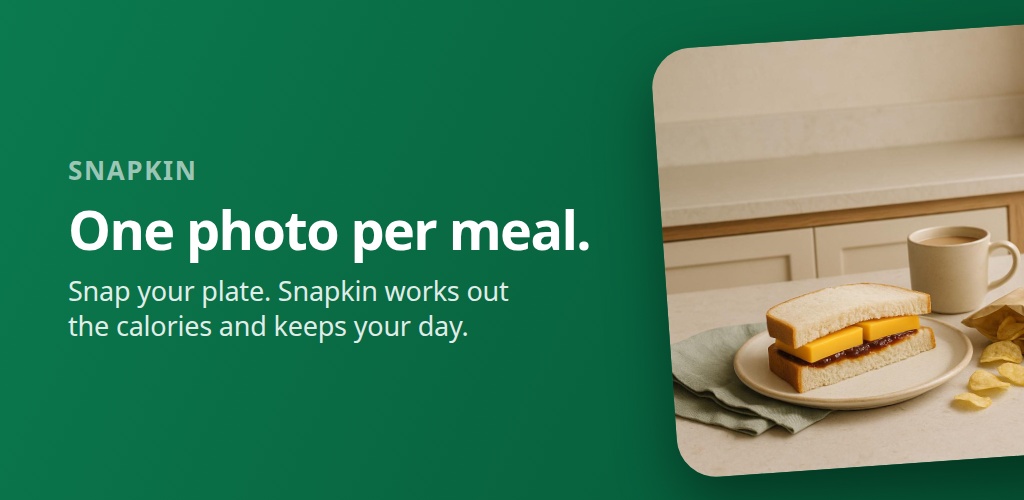
The Snapkin Google Play feature graphic: a dark green field with the headline "One photo per meal." beside a photograph of a cheese sandwich, crisps and a mug of tea.
Wide banner 1024 × 500

The Google Play feature graphic, which is the first picture on the listing. Play crops the outer edges on some layouts. On others it puts a play button over the middle. So everything you have to read sits in a band well inside both.

Download
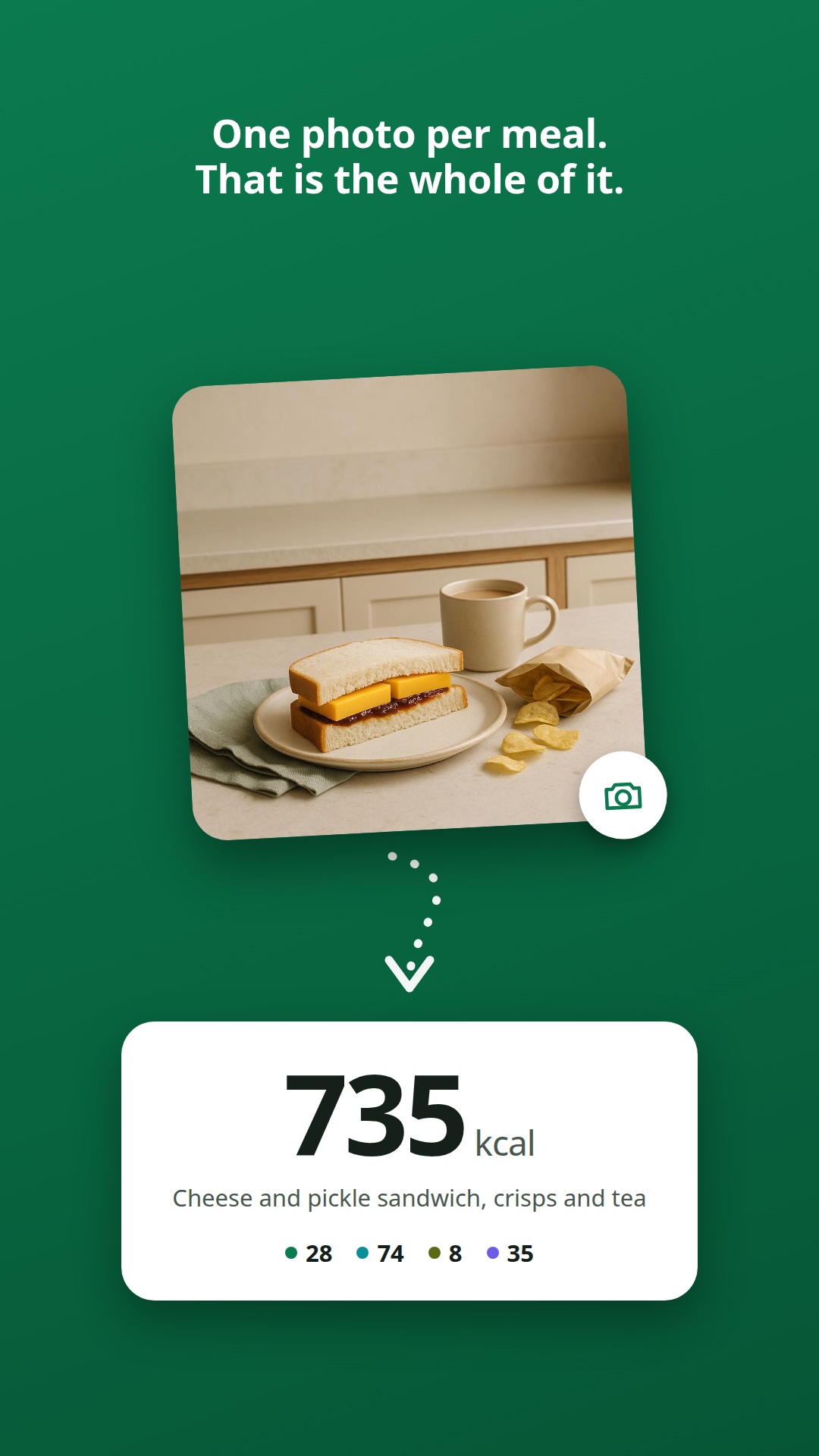
The first Snapkin store screenshot: a photograph of a cheese sandwich and crisps, a dotted arrow pointing down, and a white card reading 735 kcal with the macro dots under it.
Tall banner 1080 × 1920

The first screenshot on the Play listing. It's the one picture that explains the whole thing without a sentence: a photo, an arrow, and the number that came out of it.

Download
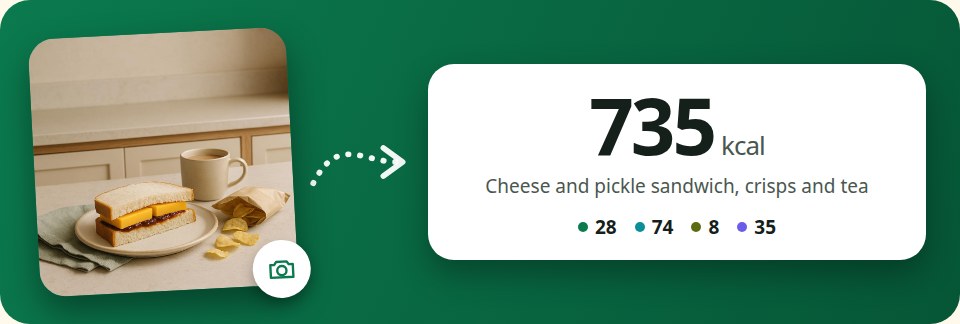
The Snapkin email banner: a photograph of a sandwich on the left, a dotted arrow, and a white card reading 735 kcal with the dish name and macro dots.
Email banner 960 × 324

The strip at the top of every mail Snapkin sends. Same three parts as the tall one, laid across instead of down. So the heading and the button are still visible before you scroll. Drawn at 480px and saved at twice that, so it stays sharp on a phone.

Download
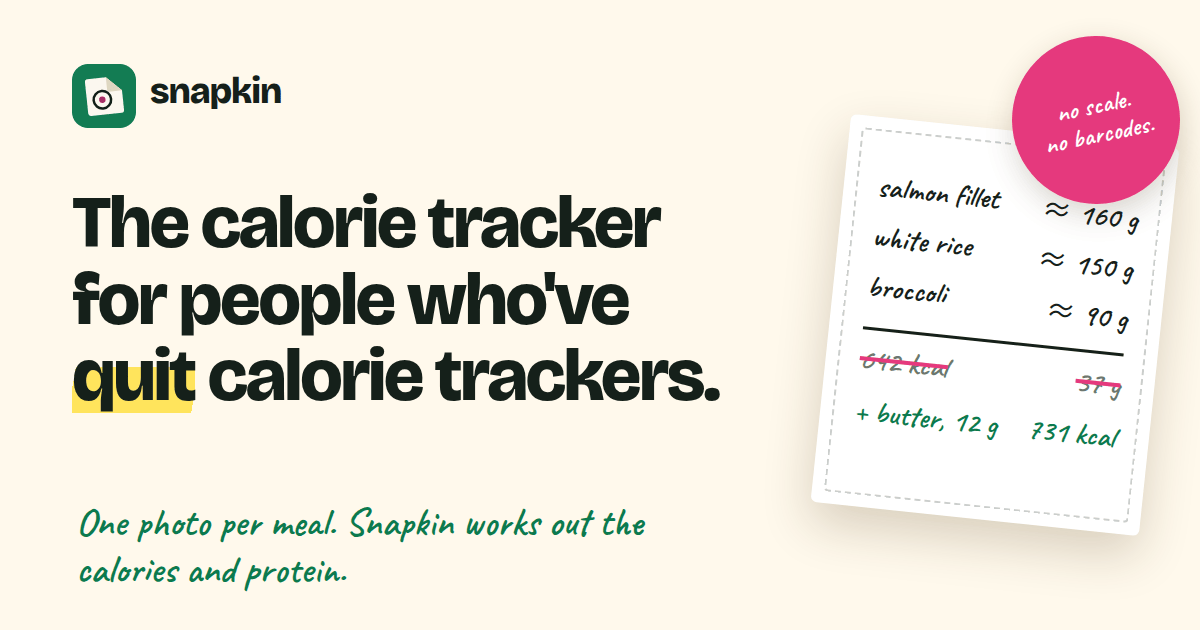
The Snapkin social card: the logo, the headline "The calorie tracker for people who've quit calorie trackers.", and a hand-written napkin working out a meal.
Social card 1200 × 630

The Open Graph card. It's the preview a link to getsnapkin.app turns into on a timeline or in a chat.

Download

All four exist in the other languages too. The email banner is in 10 languages. The store pictures are in thirteen countries. Each one shows a meal photographed for that country, not the same sandwich with a translated caption. Ask and I'll send you the one you need.

Screenshots

Five screens from the app, as it looks today. They are made from the app itself every time it changes, so they are never older than the app you'd download.
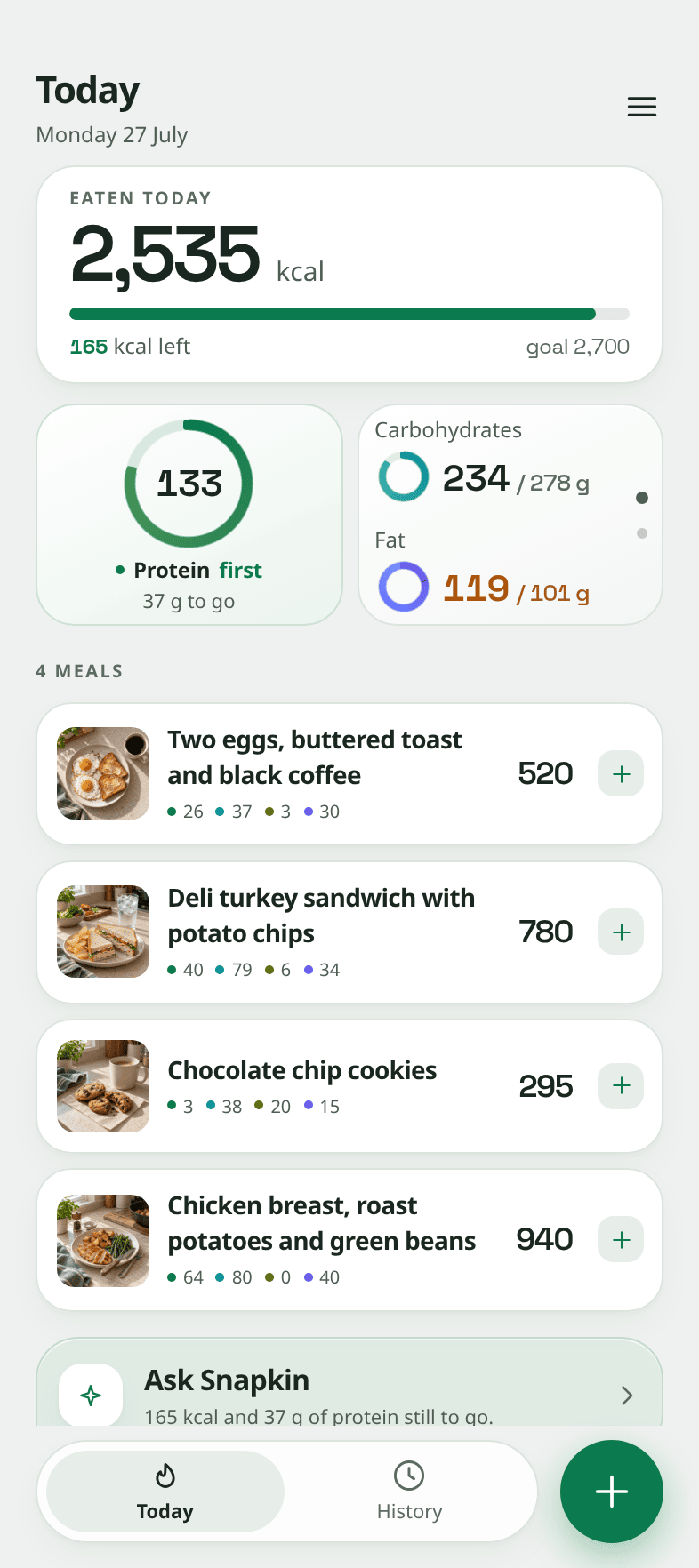
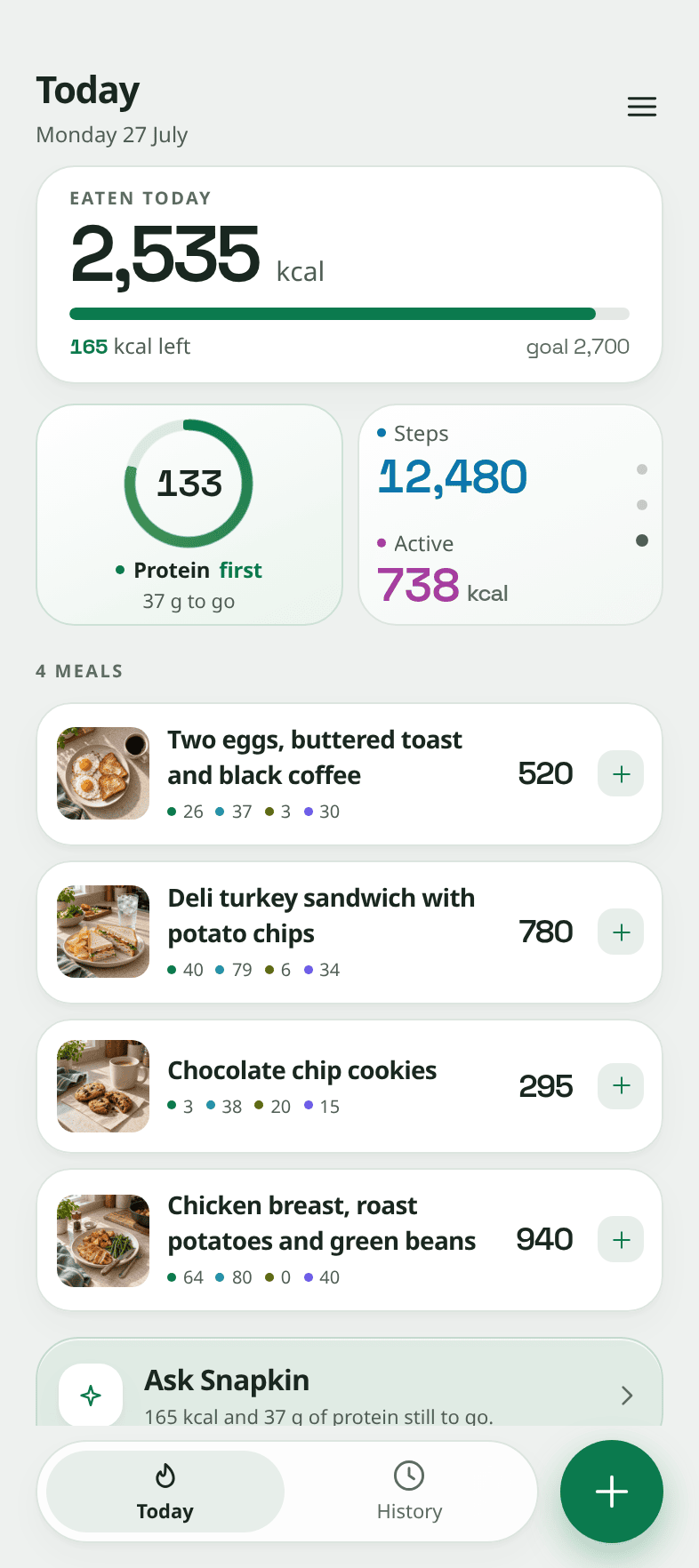
The Snapkin Today screen: the calories eaten against the goal for the day, a protein ring, and the photographed meals listed below.
Today The first screen. Calories and protein for the day, and every meal under them. PNG, 786 × 1764
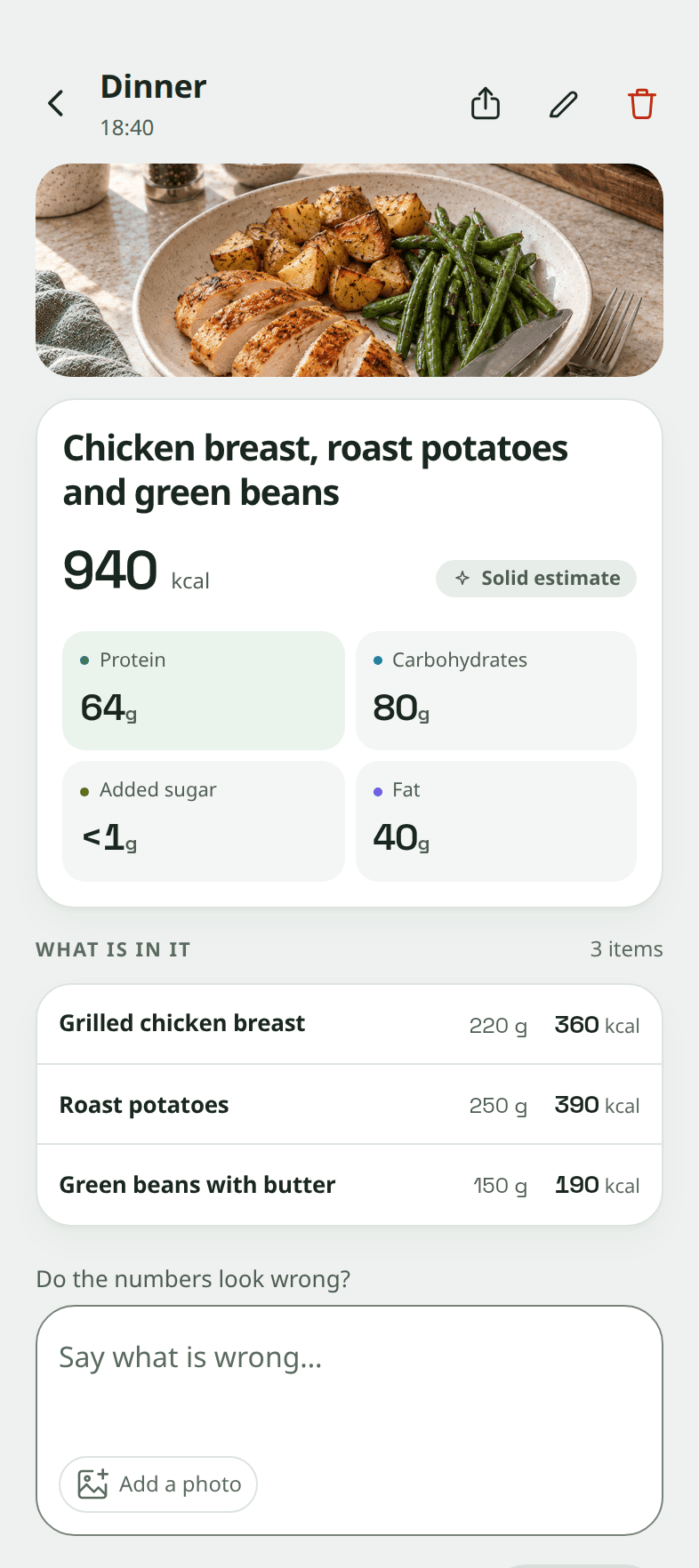
A Snapkin meal screen: the photograph of the plate, its calories, protein, carbohydrates, added sugar and fat, and each item on it with its weight.
A meal One photo, opened. What is on the plate, the portions, and the numbers. PNG, 786 × 1764
The Snapkin Today screen with its second card showing steps and active energy, read from the phone's health app.
Apple Health and Health Connect Steps and active energy from the phone, right beside what you ate. PNG, 786 × 1764
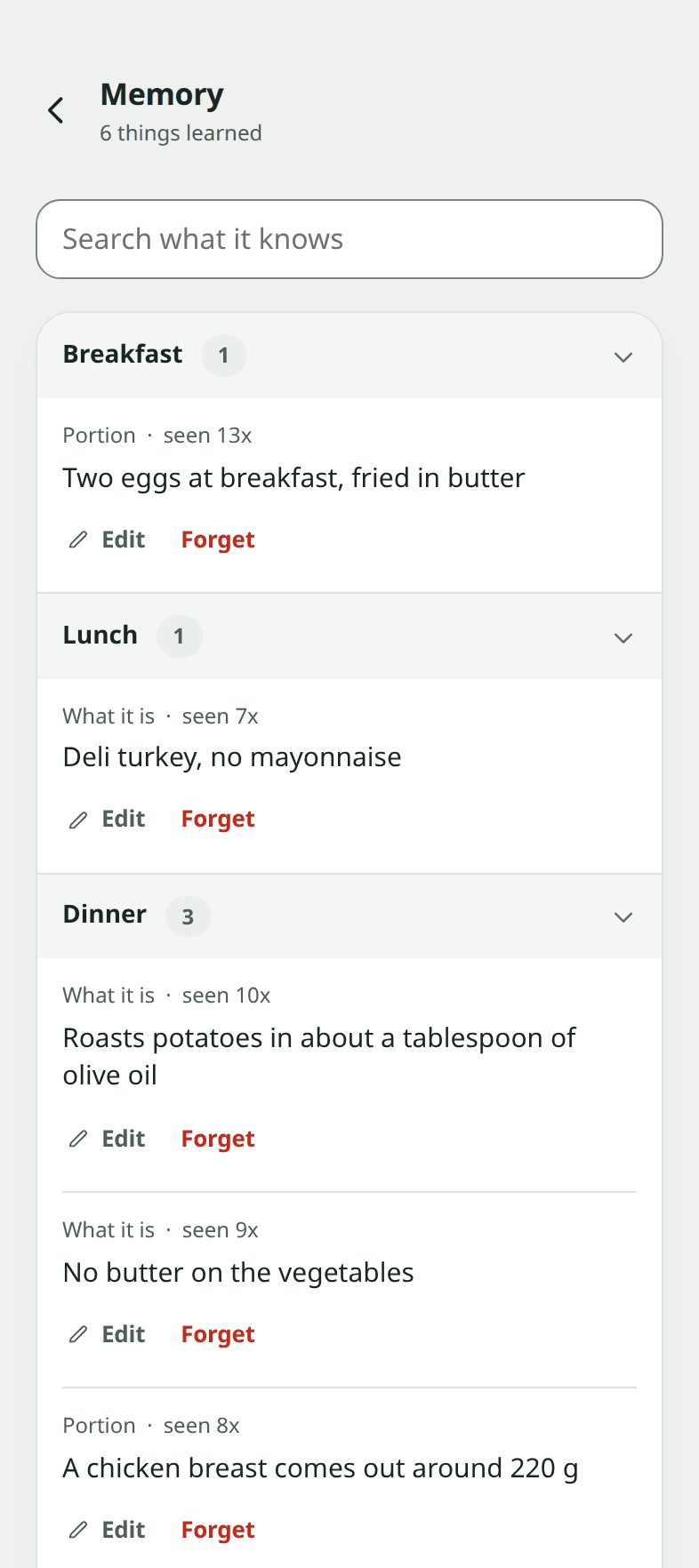
The Snapkin Memory screen: short sentences about how somebody eats, grouped by meal, each with an Edit and a Forget button.
Memory What Snapkin has learned about how you eat, in plain sentences you can edit or delete. PNG, 786 × 1764
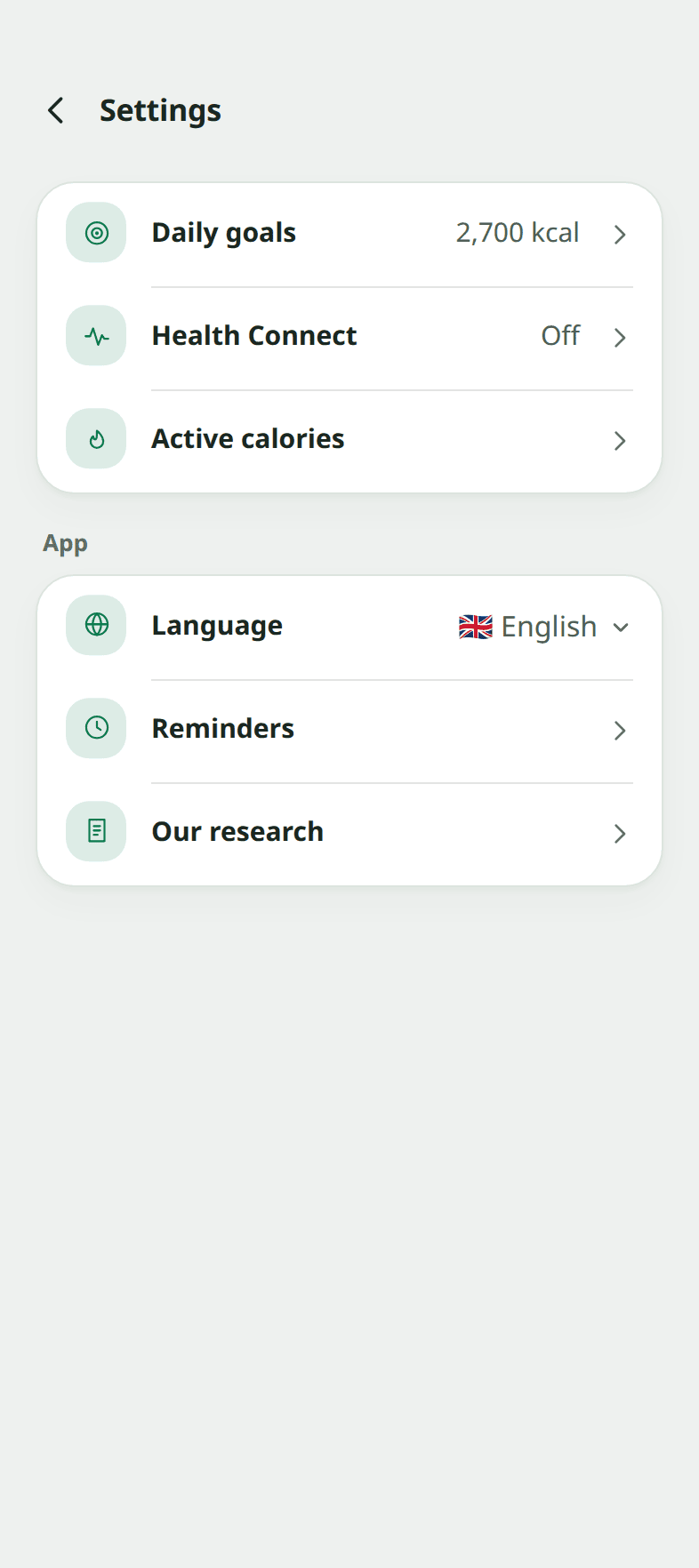
The Snapkin Settings screen: daily goals, the health connection, active calories, language, reminders and research.
Settings Daily goals, the health connection, language and reminders. PNG, 786 × 1764

All five are in the kit as well. The app also exists in 10 languages and in dark mode. Ask and I'll send you the screen you need, in the language you're writing in.

Next: Press releases →