It learns your kitchen. Then it stops asking.
- Tell it something once. It writes it down.
- Read or delete every line it remembers.
- Fewer questions every week.
In their own words
-
Sanne V. ★★★★ Google Play review The AI in this app is really good at recognising dishes. If something isn't clear, it asks targeted questions so it can make an accurate estimate. I'm a fan!
-
Sanne Snapkin user The app is easy to use and recognises meals and portions perfectly. Now I know much better what I eat, and I eat more mindfully too. A perfect help to eat healthier and lose weight. I'm a fan!
-
Matthias Snapkin user With a quick photo of every meal you know exactly how much you eat, and as a vegetarian I can see at a glance whether I'm getting enough protein. A small effort with a big impact!
Explain something once. It stops asking.
In week one it asks questions, because it does not know your kitchen yet. Each habit it spots becomes a sentence you can read and delete. Within weeks, your usual food needs no questions.
A white tub in a bowl. It cannot tell which one. So it asks. The answer changes the protein by fourteen grams.
Overnight it looks back over the day. It writes down the one thing it learned. One sentence, in plain words.
Saved under what it knows about you. Delete it there if it is wrong.
Same tub, same bowl. No question this time.
Eats the 0% skyr, not yoghurt.
Sets the scale to zero before each ingredient. So a reading is only the thing just added, never the bowl.
Usually about 180 g, so a portion estimate starts there.
The jar was in one photo, with its label. 250 kcal per 100 g, used for every slice since.
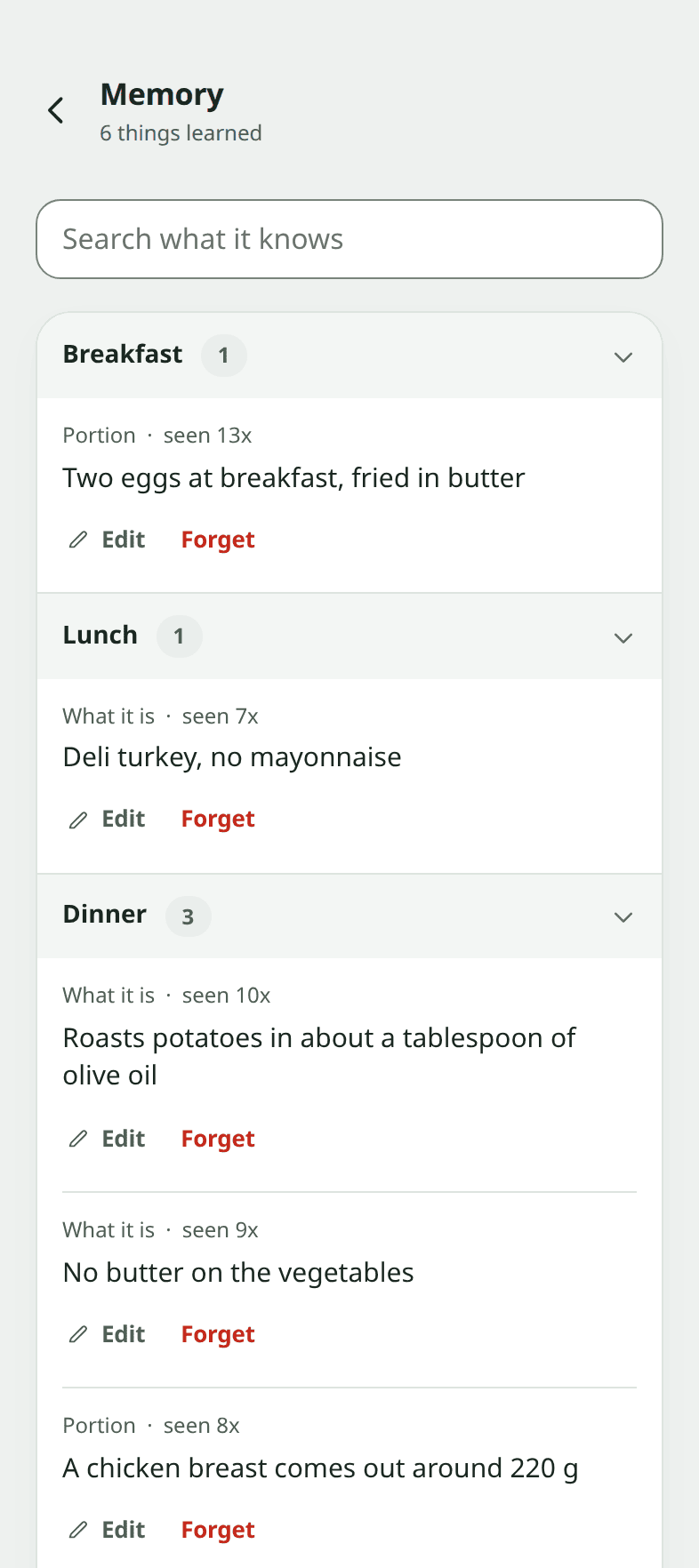
This screen is in the app. Nothing on it was typed into a settings form. It all came from meals you photographed and things you said about them. Every line has a delete button next to it.
It is a list of sentences, not a hidden profile
You can open and read a list. A hidden profile, you would just have to trust.
You can read every line.
"Eats the 0% skyr, not yoghurt." "Sets the scale to zero before each ingredient." Plain sentences in the language you use the app in, not hidden settings nobody can check.
You can delete any of them.
One button per line. Forget it and the app stops using it. If it is almost right, edit it instead, or it may learn the same thing again.
You can see how sure it is of each one.
Each line says how many times it was seen. A line you changed yourself is marked "yours".
You never fill in a settings form.
It all comes from your meals and what you said about them. You can still edit any line. There is no preferences screen to fill in before the app is any good.
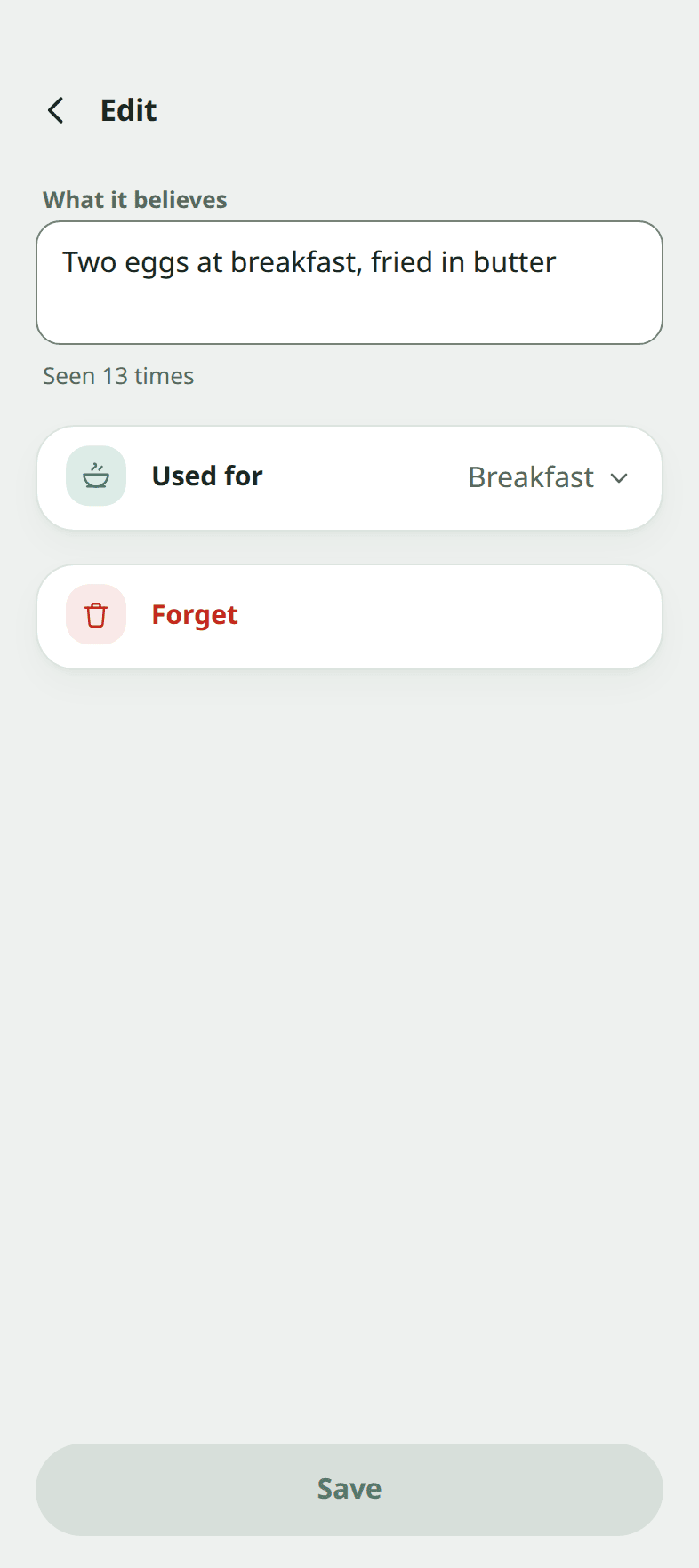
Some of it is about you, some of it is about breakfast
A label's brand is true for every meal. "The big bowl is the 400 ml one" is true for breakfast only. Each fact says which meals it is for, and most let you change that.
-
Marc G. ★★★★★ App Store review Very user-friendly, easy and quite educational. And most importantly: my weight is taking a dive. 3.5 kg in 6 weeks. Just by entering my food and drink the easy way and keeping track of my score, I learned to eat and drink less and to stop in time. Thank you Snapkin, you made it easier, almost like a game, to improve and stay in control of my weight. More than worth 5 stars.
A memory never overrides the photo
An app that learns your habits could stop looking at the photo. Snapkin does not. This is the order it decides in.
- A label in the photo
- What is visible on the plate
- What you typed about this meal
- What it remembers about you
When Snapkin uses a memory, it says so under that ingredient. The line names what it assumed. So the one night you had full-fat yoghurt, you catch it that evening, not a month later.
Tell it something once
It's that simple. It keeps working through restaurants, holidays and busy weeks. There is nothing else to keep up with.
No card for the first 3 days. €9.99 a month or €99.99 €49.99 a year, via the app.launch price, for a limited time